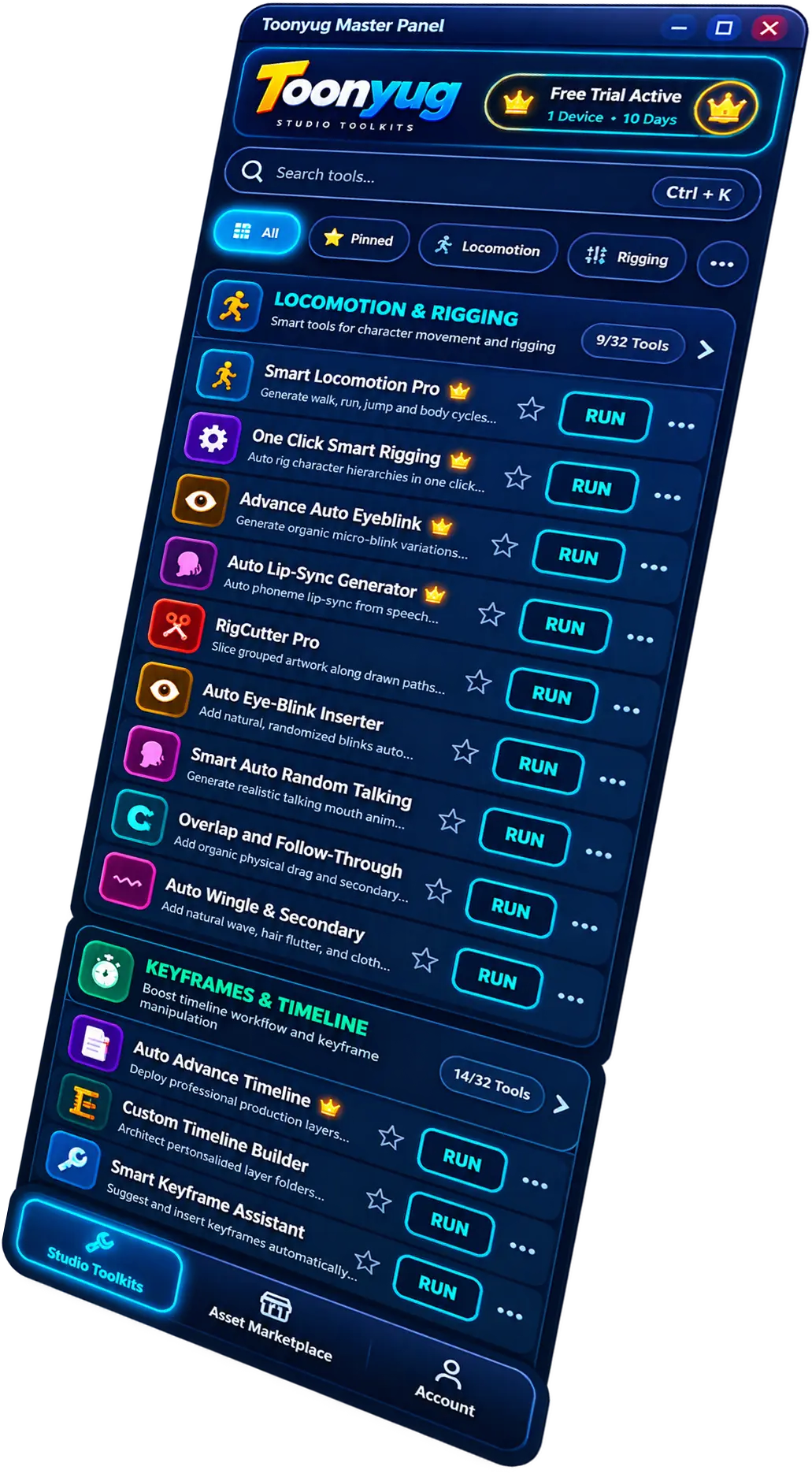
Toonyug Master Panel
All-in-One AI Tools for 2D Animators
Create characters, props, backgrounds, scripts, voice, sound effects and more directly inside Adobe Animate CC. Save time and bring your stories to life.
For Adobe Animate CC (Win/Mac)
Version 1.0.0 | Size: 70 MB
Toonyug Master Panel
All-in-One AI Tools for 2D Animators
Create characters, props, backgrounds, scripts, voice, SFX and more directly inside Adobe Animate CC.
Toonyug Master Panel License Keys
Flexible plans for every creator. Choose the best plan for your workflow.
Solo Plan
For Single Freelancer
- Use on 1 PC (Personal Workstation)
- Full Access to Master Panel
- All AI Tools (Standard Engine)
- Continuous Software Updates
- Standard Email Support
Creator Plan
Perfect for Beginners
- Use on 2 PCs (Workstation + Laptop)
- Full Access to Master Panel
- All AI Tools (Standard Engine)
- 1-on-1 Live Google Meet Support
- Continuous Software Updates
- Standard Email Support
Pro Plan
Best for Creators & Freelancers
- Use on 4 PCs (Team / Studio Duo)
- Full Access to Master Panel
- All AI Tools (More Credits)
- 1-on-1 Live Google Meet Support
- Priority Feature Updates
- Priority WhatsApp & Email Support
Studio Plan
For Professionals & Teams
- Use on 8 PCs (Full Production House)
- Full Access to Master Panel
- All AI Tools (Maximum Bulk Credits)
- 1-on-1 Live Google Meet Support
- Early Access to Beta Features
- Dedicated 1-on-1 Technical Support
Why Choose Toonyug Master Panel?
Powerful AI Tools
Save time and create faster
Easy to Use
Works inside Adobe Animate CC
Regular Updates
Get new features and improvements
Secure License Keys
Instant delivery after purchase
Live Google Meet Support
1-on-1 screen share & instant help
Professional Support
We're here to help you succeed
100% Secure Payment
Razorpay / PayPal / UPI
Instant License Key
Get it on your email immediately
Regular Updates
Free updates during plan period
Dedicated Support
Email & Chat Support
30-Day Money Back
If you face any issue
Toonyug Tools Video Tutorials
Master every 2D rigging, lip-sync, and locomotion tool directly inside Adobe Animate CC.
Toonyug Master Panel
Big Announcement • 12:33How to Install Plugin
Setup & Activation • 11:55RigCutter Pro
Circle Center & One Click Smart Rigging • 04:25Smart Locomotion Pro
Locomotion & Rigging • 06:10One Click Smart Rigging
Locomotion & Rigging • 05:40Auto Lip-Sync Generator
Audio & Voice • 03:50Advance Auto Eyeblink
Keyframes & Motion • 02:45Smart Super Fast Auto Lip Sync
Lip-Sync & Audio • 16:42Overlap & Follow-Through
Physics & Motion • 04:55Auto Wiggle & Secondary
Motion Engine • 04:10Auto Advance Timeline
Timeline Tools • 05:20Custom Timeline Builder
Timeline Tools • 03:40Smart Keyframe Assistant
Keyframes • 04:30Complete Master Panel Tour
Full Overview • 12:15Toonyug Master Panel Big Announcement
Complete step-by-step setup guide: Extract ZIP, bypass Windows SmartScreen, run setup wizard installer, launch panel in Adobe Animate CC, and activate your 14-day free trial.